
Monthly archive series: July 2025. Written and first published in October 2026.
A short-term rental gallery has to explain the stay as well as the building. A guest may want to know where everyone sleeps, how meals work, what is shared and which outdoor spaces are available. Beautiful room photographs help, but they do not answer those questions automatically.
Plan the set around the actual experience being offered. Keep amenities, sleeping arrangements and access consistent with the listing description. The goal is to reduce uncertainty before booking, without staging an experience that the property does not provide.
Make sleeping arrangements easy to follow
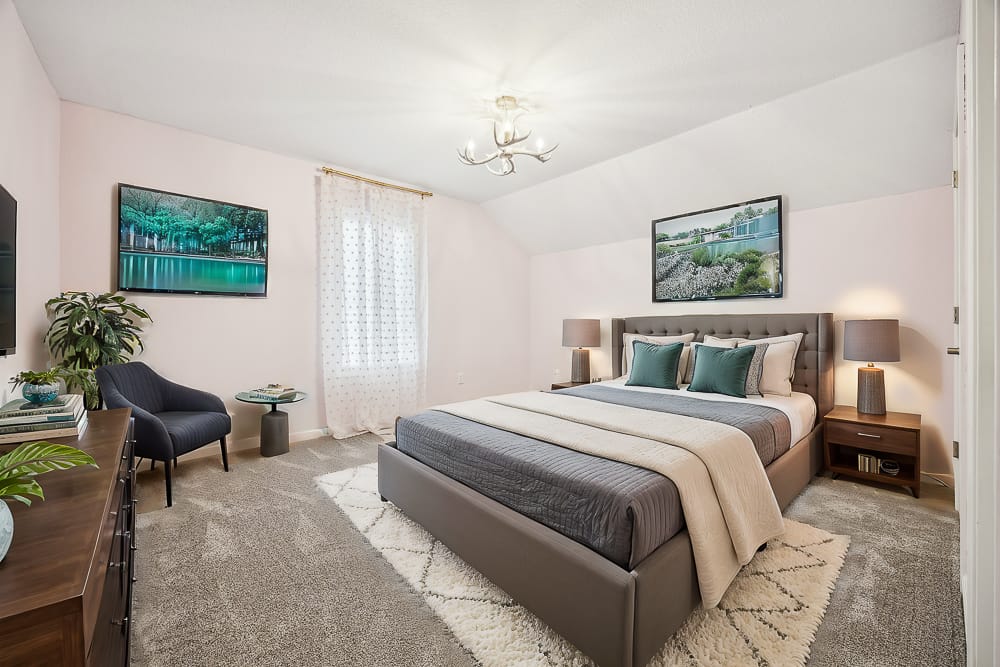
Show each offered sleeping space clearly and use consistent room names. Avoid a gallery that contains several attractive bed photographs without explaining whether they depict different rooms or different angles of the same room. Captions can provide that distinction when the platform supports them.
Confirm the description of beds, convertible furniture and shared arrangements with the owner or manager. A photograph cannot establish occupancy approval or guarantee that a particular arrangement suits every group. Keep those claims tied to verified property information and the applicable booking terms.
Show the everyday amenities people will use
Prioritize the kitchen, dining arrangement, bathrooms and main gathering space. Where relevant, include laundry, a workspace, parking or outdoor seating. The list should reflect amenities actually available to guests, not everything that happens to be present during the photography appointment.
For example, a stocked display shelf may look inviting but create an expectation that those items are included. A table set with elaborate food and drink can imply a service the host does not provide. Use restrained preparation and explain anything shown only as an illustration rather than part of the stay.
Label shared and private areas distinctly
A pool, courtyard, laundry room or entrance may be shared with other occupants. Make that clear in the listing and image captions. Do not rely on a guest to infer the arrangement from architecture or from a brief note buried far from the photographs.
Check access restrictions and seasonal availability before featuring an amenity prominently. If an area is not available during some stays, the presentation should explain that. Older seasonal images may be useful, but they should not imply that the current condition or availability is identical throughout the year.
Use sequence to explain arrival and daily life
Start with the property and its most useful overall view, then establish the main living spaces, sleeping areas and amenities. Group related images together. A practical order helps a viewer understand which spaces connect and avoids making one room seem like several.
For a property with an unusual layout, a floor plan or virtual tour may provide more clarity than additional detail photographs. Choose it because it answers a layout question, not because every rental needs the same media package.
Prepare the property as guests will receive it
Clean, arrange and stock the space to match the normal offered standard. Put away owner belongings and private documents. Check that visible equipment and amenities are present and described accurately. If something is awaiting repair, resolve the presentation with the manager rather than making it disappear through misleading editing.
Use the TREM419 preparation checklist for the room reset, then add the rental-specific questions: what is included, what is shared and what varies by season. Those answers should accompany the media review.
Before publication, ask someone unfamiliar with the property to identify the sleeping spaces, kitchen setup, main entrance and important amenities from the gallery. If they cannot do so confidently, revise the order or captions before ordering more images. A useful rental gallery gives guests a clear basis for choosing the property and helps the actual stay match the expectations created online.
Photograph from the TREM419 property media library, used to illustrate this guide.