
Monthly archive series: August 2026. Written and first published in October 2026.
Service availability update, October 30, 2026: TREM419 currently offers AI property video created from selected photographs. Separately filmed property video is not available for booking. The planning guidance below also discusses filmed production; confirm the current service and deliverables before ordering.
Video format is a planning decision, not just an export setting. A vertical view and a horizontal view include different parts of a room, and cropping one into the other can remove the feature the clip was meant to show. Decide where the video will appear before the photography appointment so the framing can support that use.
You do not need to memorize every platform’s specifications. You do need a list of the intended destinations, the important property features and any text or branding that must appear. Give that information to the photographer while the scope is being agreed.
Begin with the destination list
Identify whether the video will be used in a vertical social feed, on a property website, in a presentation or in several places. Check the current requirements of those destinations when preparing the upload. Platform formats and interfaces can change, so avoid assuming an old export preset remains suitable forever.
TREM419’s video service overview provides a starting point for the project discussion. Confirm which versions are included and whether additional formats require different capture or editing. One delivered file should not be assumed to cover every possible use equally well.
Match the composition to the feature
A vertical frame can emphasize height, an entrance or movement through a narrow part of a room. A horizontal frame may better show a broad living area or the relationship between adjoining spaces. These are composition choices, not rules that one format is always superior.
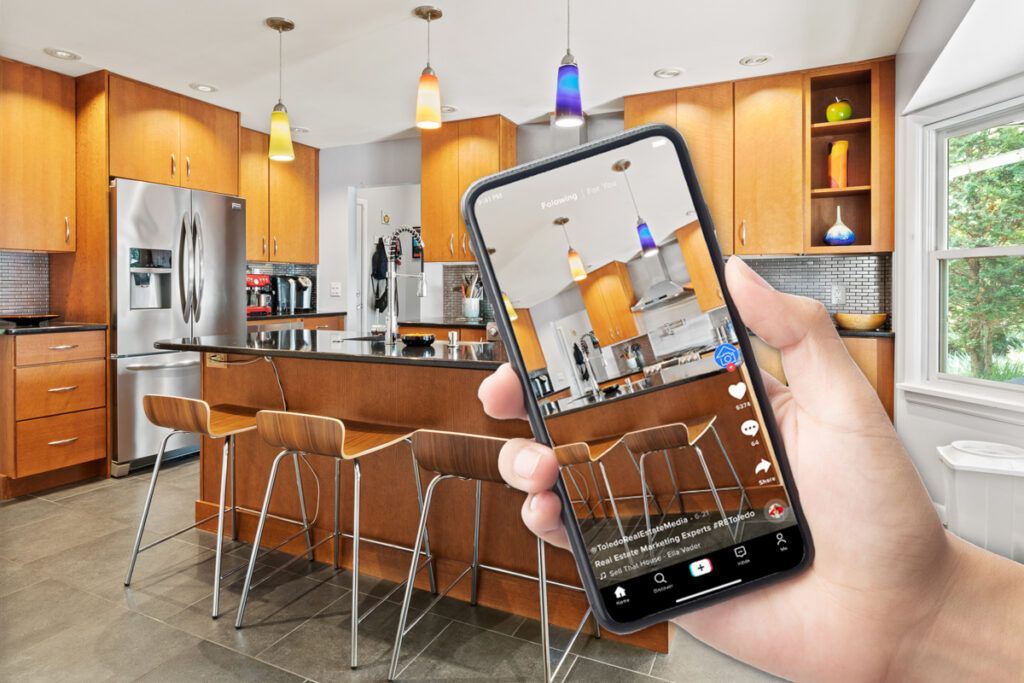
Consider a hypothetical kitchen with an island and dining area beside it. A horizontal view may explain the connection in one frame. A vertical sequence may need separate, deliberately connected views. Planning that difference before capture is more effective than cutting away the dining area later and hoping the relationship remains obvious.
Leave room for the interface and text
Social interfaces can place captions, buttons and other elements over part of a video. Keep essential property details and on-screen text away from positions where they may be covered. The precise safe area depends on the destination, so check the actual preview rather than relying on a universal diagram.
Use short, factual text when it adds information. Do not cover the room with a long description or place the only important label at the edge of the frame. If viewers need more detail, give them a clear route to the full listing instead of trying to fit every fact into the video.
Plan separate versions when the needs differ
If the property needs both a broad website presentation and a vertical social edit, say so at the outset. The photographer can discuss whether shared footage will work or whether specific additional views are needed. Confirm scope and cost before assuming that reframing is a minor automatic change.
Use the same verified property facts across versions. A shorter edit may omit a room, but it should not contradict the longer version’s labels, condition or claims. Keep the approved files clearly named so the upload team can select the correct format without opening every export.
Review on the intended screen
Watch the completed version on a phone and in the actual destination preview. Check that the main subject remains visible, text can be read and the sequence makes sense without a large-screen explanation. Look for awkward crops at the beginning and end as well as in the central clips.
Our short video planning guide covers the underlying route and message. Combine that plan with the format decision so the video has both a coherent story and a usable frame.
Keep the approved exports with the original delivery and note where each version belongs. If a new destination is added later, review its needs before cropping the file yourself. A small amount of format planning helps the final video preserve the property information that made it worth producing in the first place.
Photograph from the TREM419 property media library, used to illustrate this guide.