
TREM419 · NORTHWEST OHIO & SOUTHEAST MICHIGAN
Green-grass editing
An optional, clearly identified digital treatment of an existing lawn.
A DIGITAL ENHANCEMENT
Distinguish the treatment from the lawn’s condition.
Green-grass editing changes the appearance of an existing lawn in a selected property photograph. An edited version must be presented as an enhancement, rather than evidence of the lawn’s actual condition on the shoot date.
Keep the original photograph available. The edit should preserve the boundaries and permanent features of the property, and the published listing must still give viewers an accurate understanding of what is there.
- Confirm that the requested treatment is suitable for the property and publishing platform.
- Identify the edited version clearly.
- Retain the original photograph for comparison.
- Do not use the treatment to conceal material property conditions.
BEFORE AND AFTER
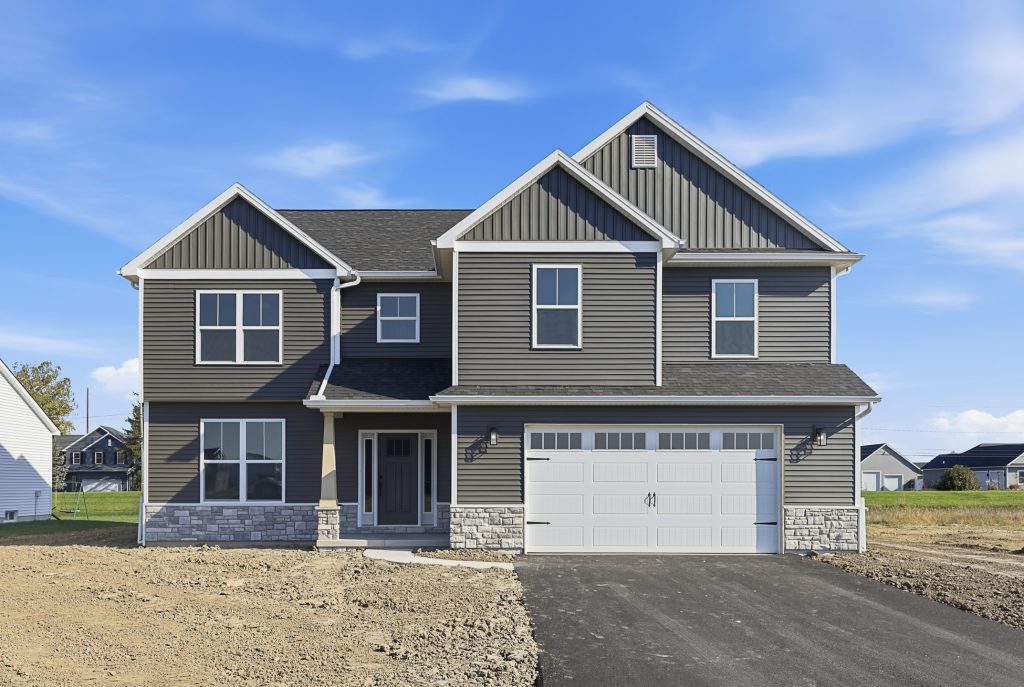
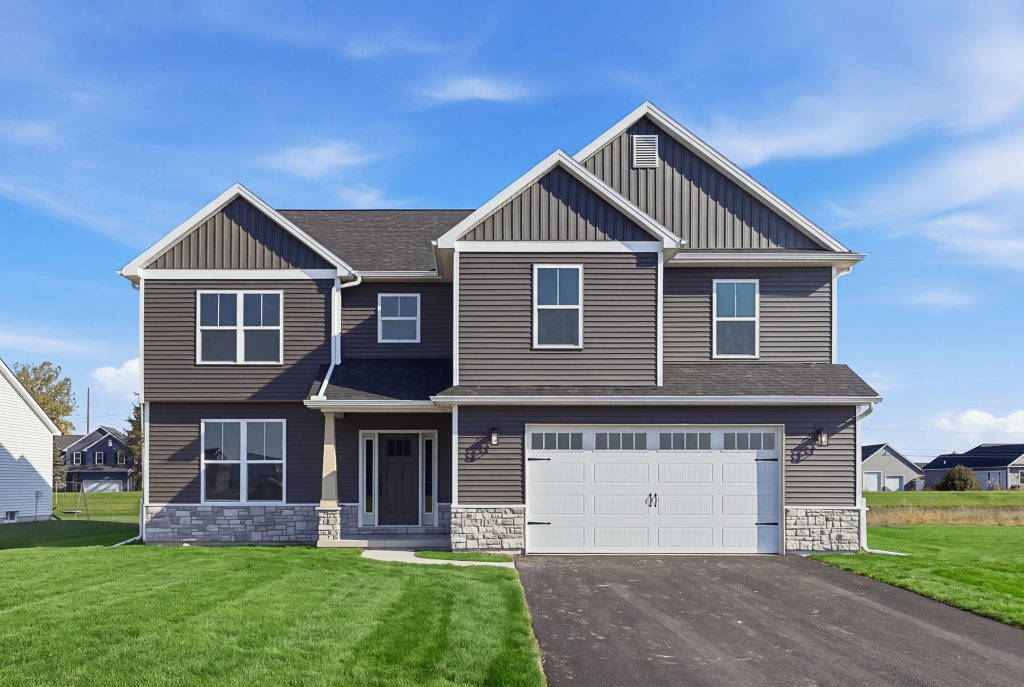
See the difference green grass can make.
Compare the original photograph with a clearly identified digital lawn visualization. In this example, grass has been added to bare ground; it does not show an existing lawn or its condition on the shoot date. Adding new landscaping requires a separate suitability discussion from the existing-lawn treatment described on this page.
PLAN THE EDIT
Keep the property recognizable.
Select the photograph and the existing lawn area you want reviewed. Include an unedited copy and describe the intended use of the finished image. Property boundaries, paths, planting beds and permanent features should remain clear.
Compare the original and enhanced versions at a useful viewing size. Check the edges around paving, fencing and shrubs for an unnatural appearance. An attractive edit should still leave viewers with a clear understanding of the property. Confirm the selected images, delivery and any requested adjustments before ordering.
Explore listing photography →FREQUENTLY ASKED QUESTIONS
Green-grass editing FAQs
Does green-grass editing show the lawn as it was photographed?
No. It changes the appearance of the lawn in the image. Keep the original and identify the enhanced version so viewers can distinguish the edit from the condition recorded on the shoot date.
Can it be used where there is no lawn?
A bare area or unfinished landscaping needs a separate discussion. The treatment described here is for an existing lawn, and the image should continue to represent the property accurately.
What should I send when requesting an edit?
Choose the original photograph, identify the lawn area and tell us where you plan to publish it. Keep an unedited copy so the finished version can be compared with the source.
LET’S PLAN YOUR PROPERTY MEDIA
Tell us what you want to show.
Send the property address, the services you need and your preferred appointment date. We’ll help you confirm the scope before the shoot.