
Monthly archive series: February 2024. Written and first published in October 2026.
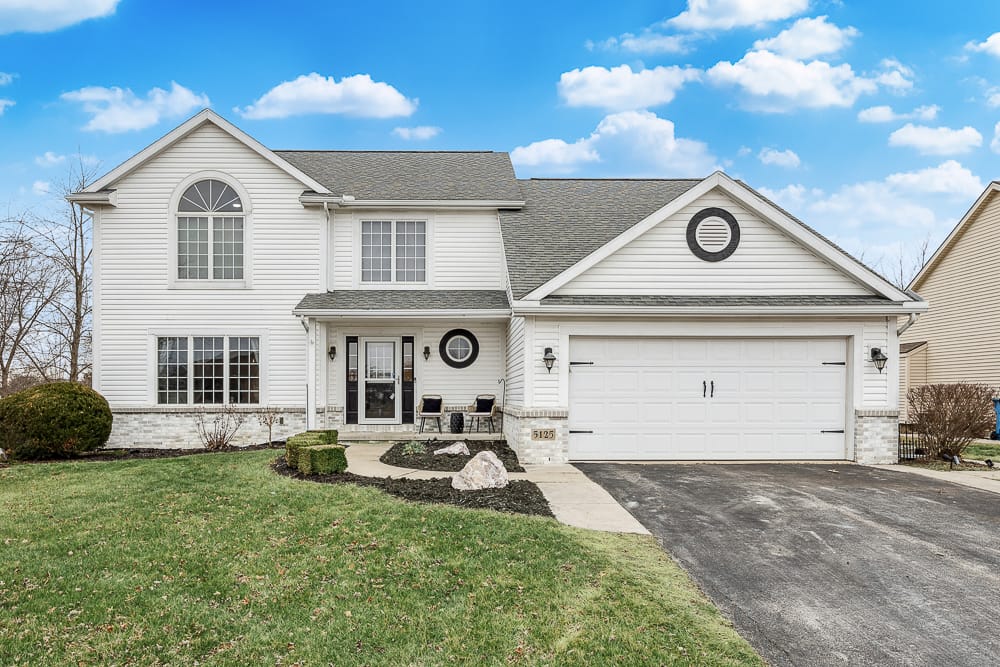
The first photograph in a listing has a small but important job: help a viewer recognize the property and decide whether to explore it. It does not have to contain every selling feature. It does need a clear subject that still makes sense when displayed as a small thumbnail on a phone.
For many houses, a straightforward exterior is a useful starting point. For another property, the most informative opening may be an interior, a distinctive setting or a view that explains the site. Choose deliberately from the delivered photographs instead of accepting whichever file happens to appear first.
Decide what the buyer needs to recognize
Ask what distinguishes this property in a way a photograph can actually show. The answer might be the building’s form, a generous outdoor area, a striking main room or a relationship to the land. Avoid choosing an image for a feature that is too small to notice without an explanation.
A close-up of a faucet may be attractive, but it rarely introduces an entire home. A wide aerial may explain a large site, yet leave the house too small to identify in a thumbnail. The opening image should make a coherent first statement. Later photographs can provide supporting detail.
Compare candidates at the size people will see
Open two or three strong options side by side, then reduce them to a small display size. Look for a recognizable subject, useful contrast and an uncomplicated composition. Check whether a vehicle, dark foreground, large tree or decorative feature becomes more prominent than the property itself.
Also consider the likely crop. A photograph that works as a full horizontal image may lose the front door or roofline in a square card. You do not control every portal’s presentation, but you can choose an image with enough room around the essential subject. Do not stretch or distort the photograph to force it into a shape.
Make the opening and the next images agree
The lead image creates an expectation that the rest of the gallery should explain. If an outdoor area is the main attraction, follow with a view that shows how it connects to the home. If a living room opens the gallery, establish the exterior and entry soon afterward so viewers can orient themselves.
An unusual opening can work when the sequence remains clear. It becomes less useful when the gallery jumps between unrelated details and leaves the buyer unsure which building, unit or outdoor area is being offered. Think of the first several images as an introduction rather than a competition for the most dramatic frame.
Keep accuracy ahead of visual impact
Use an image that reflects the property’s current presentation. If landscaping, exterior color or a major feature has changed, an older photograph may no longer be the right introduction. Make relevant seasonal differences clear when mixing older and newer material.
Treat edited images carefully. A digitally altered sky or virtual staging should not lead viewers to misunderstand the property or the work performed. Confirm the appropriate disclosure with the listing professional and applicable platform. An image’s impact is useful only if the buyer can trust what it communicates.
A simple selection exercise
Ask a colleague who has not visited the property to look at the candidates briefly. Instead of asking which one they like, ask what each image tells them. Their answer can reveal an unclear crop, distracting object or missing context that is easy to overlook when you already know the home.
- Can they identify the main subject immediately?
- Does the image represent the actual property being marketed?
- Is the important feature still visible on a phone?
- Do the next images explain what the opening introduces?
Review TREM419’s work for examples of property presentation, then select from your own delivered set. If the available photographs cannot explain the feature you want to lead with, discuss that gap through the contact page before trying to solve it with an extreme crop or an inaccurate caption.
Photograph from the TREM419 property media library, used to illustrate this guide.